Live TV that shows what's on
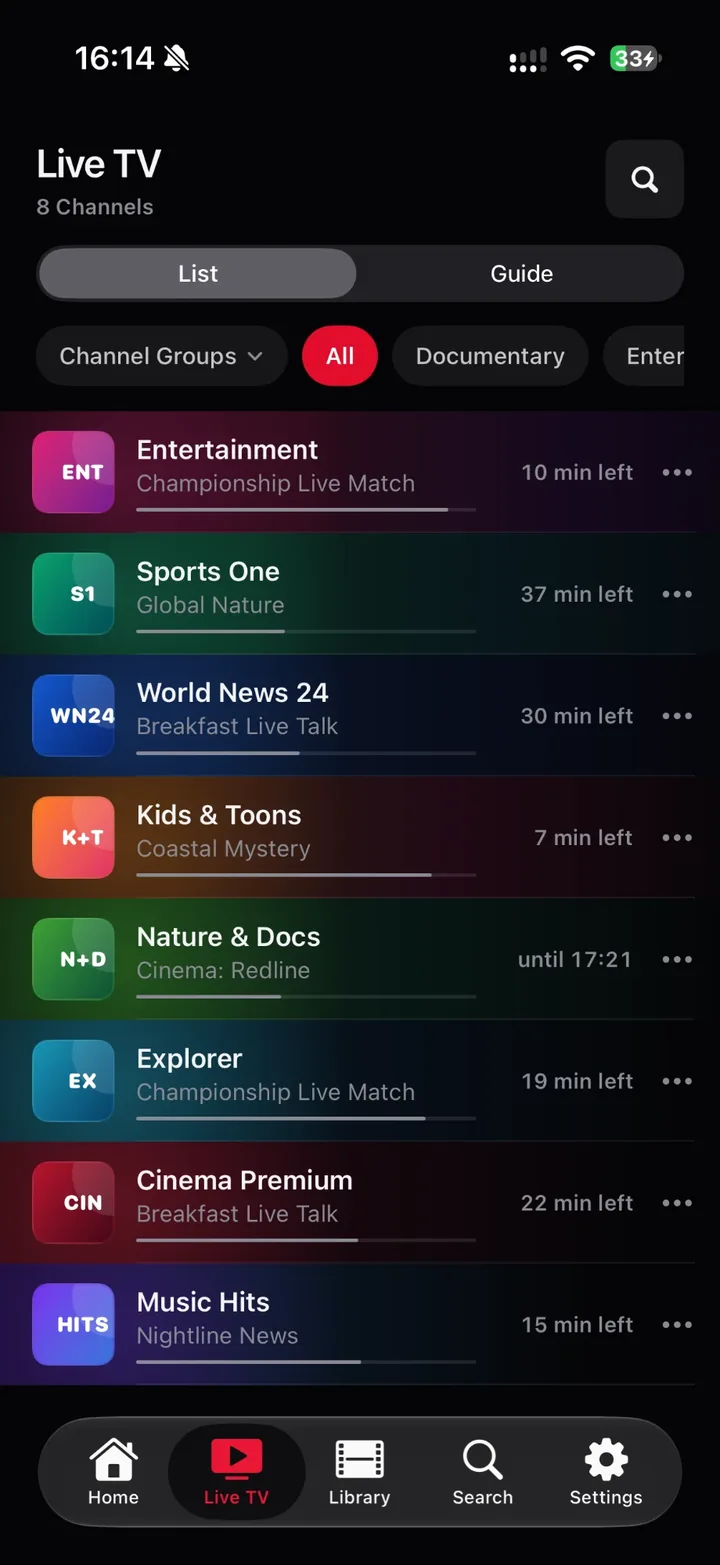
Every channel row carries the running programme, a live progress bar and the time left. Star a favourite, filter by group, and the list remembers.
Your IPTV,
finally beautiful.
Onyx is a native player for the M3U playlist or Xtream login you already have. Live TV with a real programme guide, catch-up, movies and series. Fast, private, and built to feel at home on every Apple screen.
Bring your own provider. Onyx IPTV does not provide, host or sell channels or content. You are responsible for your sources and the rights to everything you play.
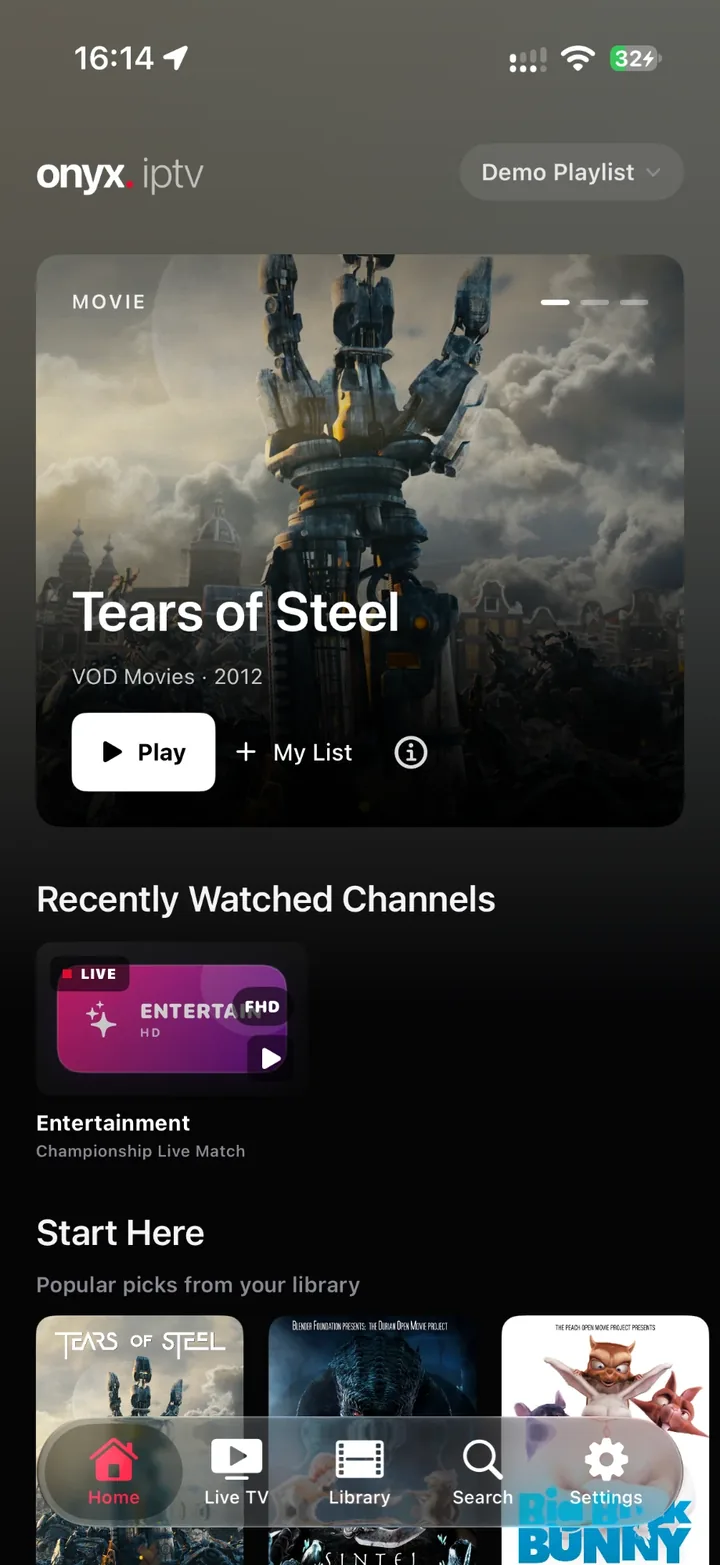
A cinematic hero, Start Here picks, Continue Watching and the channels you keep coming back to. Everything your provider exposes, without the clutter.
Every channel row carries the running programme, a live progress bar and the minutes left. Favourites are one tap away, channel groups one swipe.
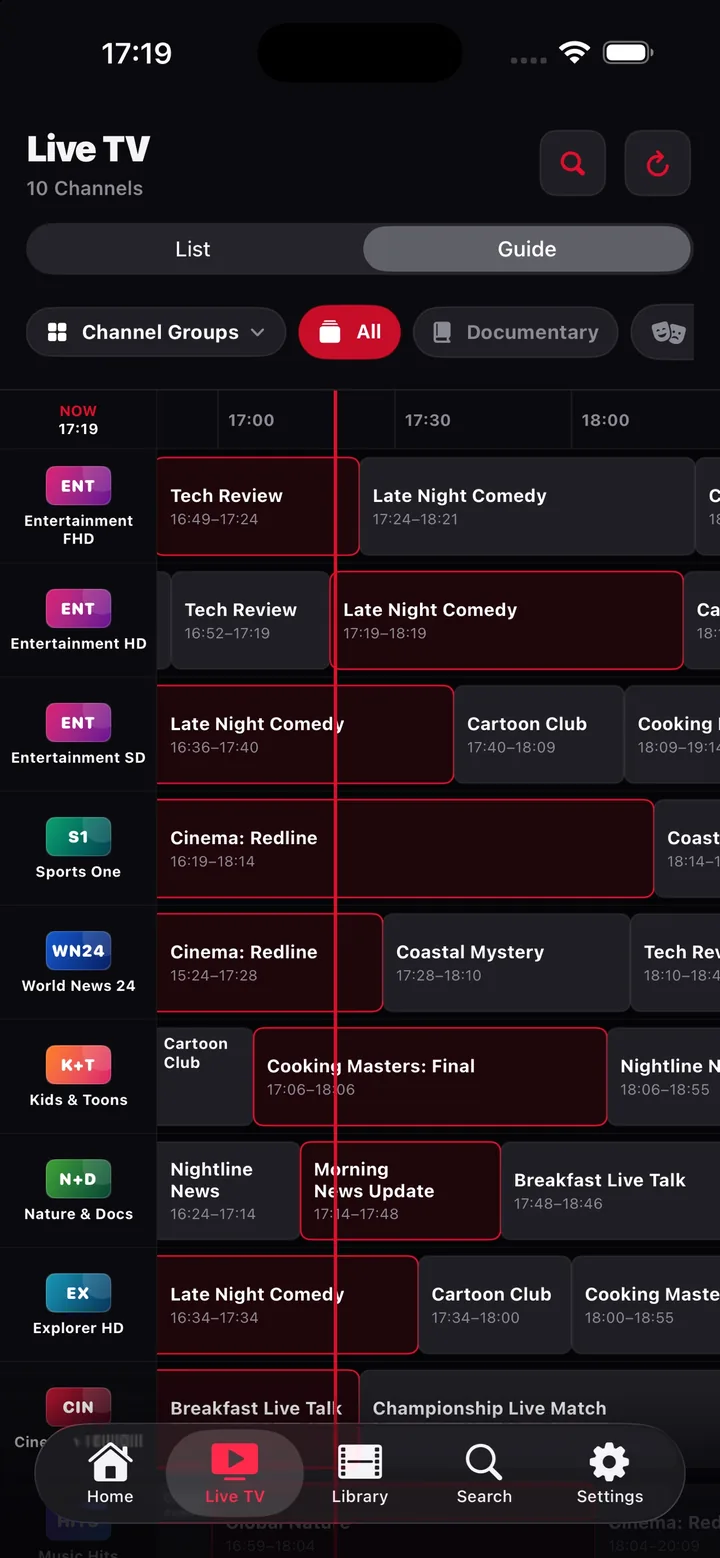
Hours ahead in one swipe, a red now-line, title search across every channel and reminders for what's coming up.
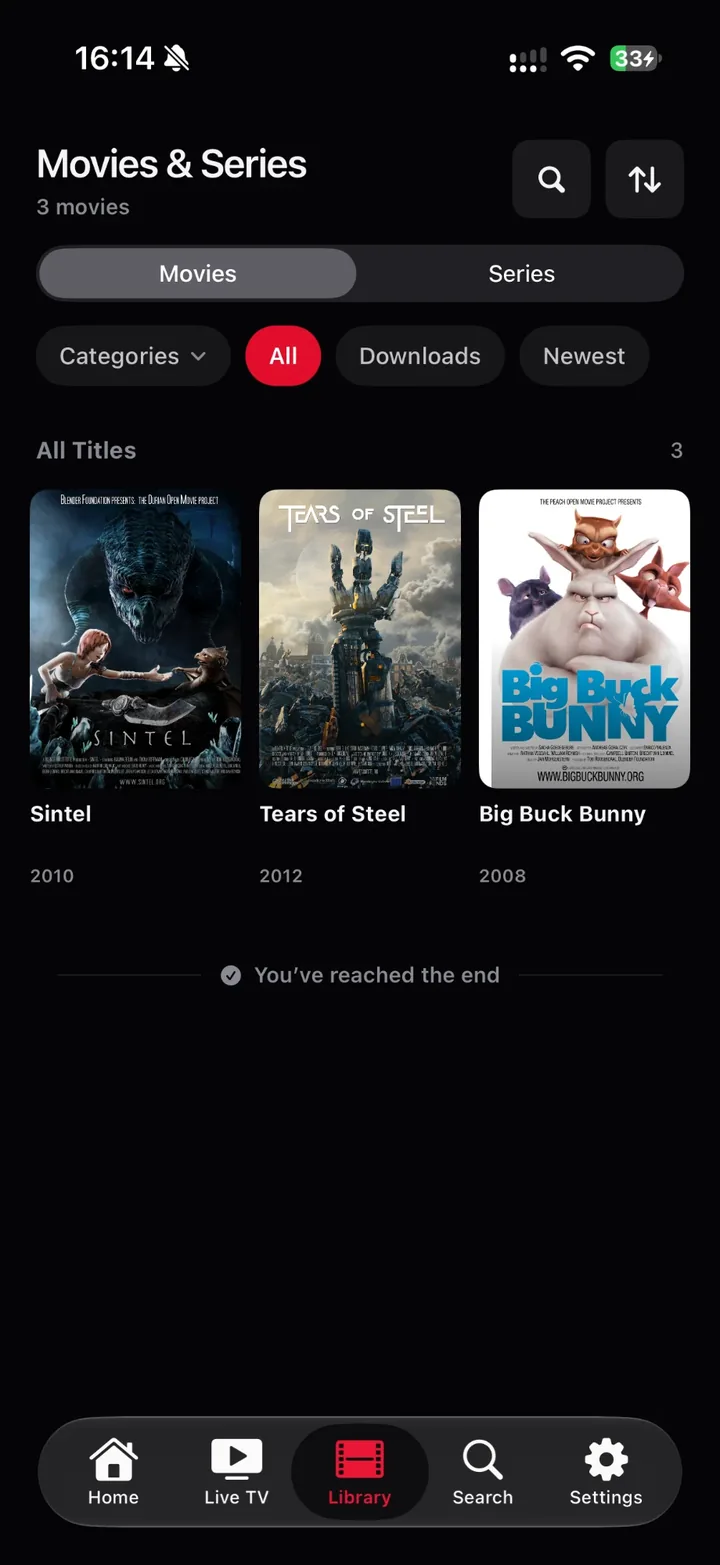
Posters, seasons and episodes, plot, cast, runtime and trailers. Onyx resumes where you stopped and plays the next episode by itself.
Why Onyx
Onyx reads what your IPTV subscription already exposes and turns it into an app that feels like it belongs on iOS.
Every channel row carries the running programme, a live progress bar and the time left. Star a favourite, filter by group, and the list remembers.
A real TV-guide grid with a now-line, hours ahead in one swipe, search across all channels and reminders for upcoming programmes.
Replay finished programmes from your provider's archive, or restart a running show from the beginning.
Posters, categories, seasons and episodes, plot, cast and trailers. Continue Watching and auto-next-episode included.
Native AVPlayer for speed and battery life, with a VLC engine as fallback for containers iOS cannot decode.
No account, no analytics SDK, no tracking. Credentials live in the iOS Keychain on your device. Optional iCloud sync stays inside your own iCloud.
Sixteen interface languages and a right-to-left layout for Arabic. Your guide, your settings, your words.
iPhone, iPad & Apple TV
Built in SwiftUI for each platform: a touch-first app on iPhone and iPad, and a focus-driven Apple TV app that shares your favourites, history and Onyx Pro subscription.
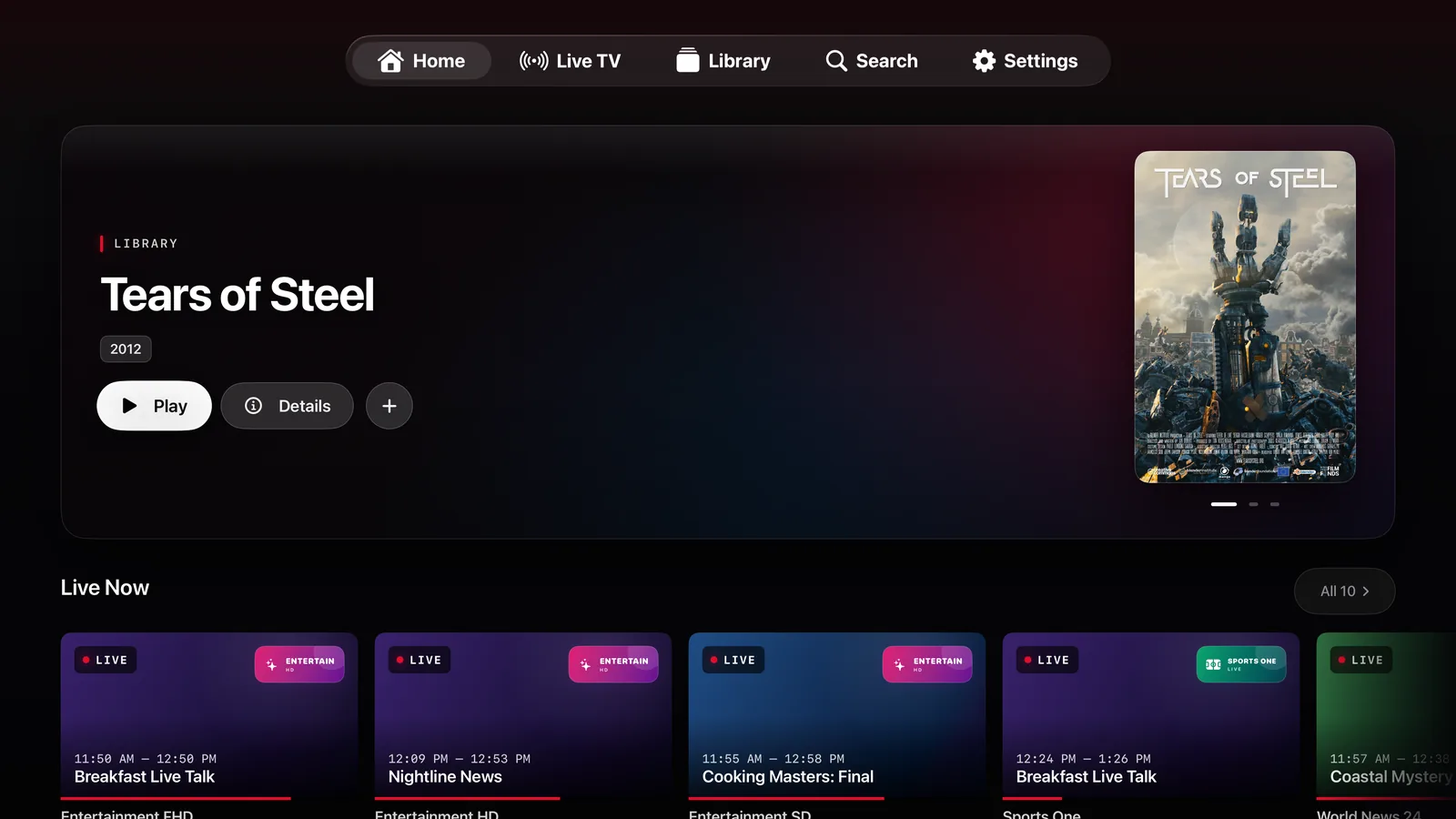
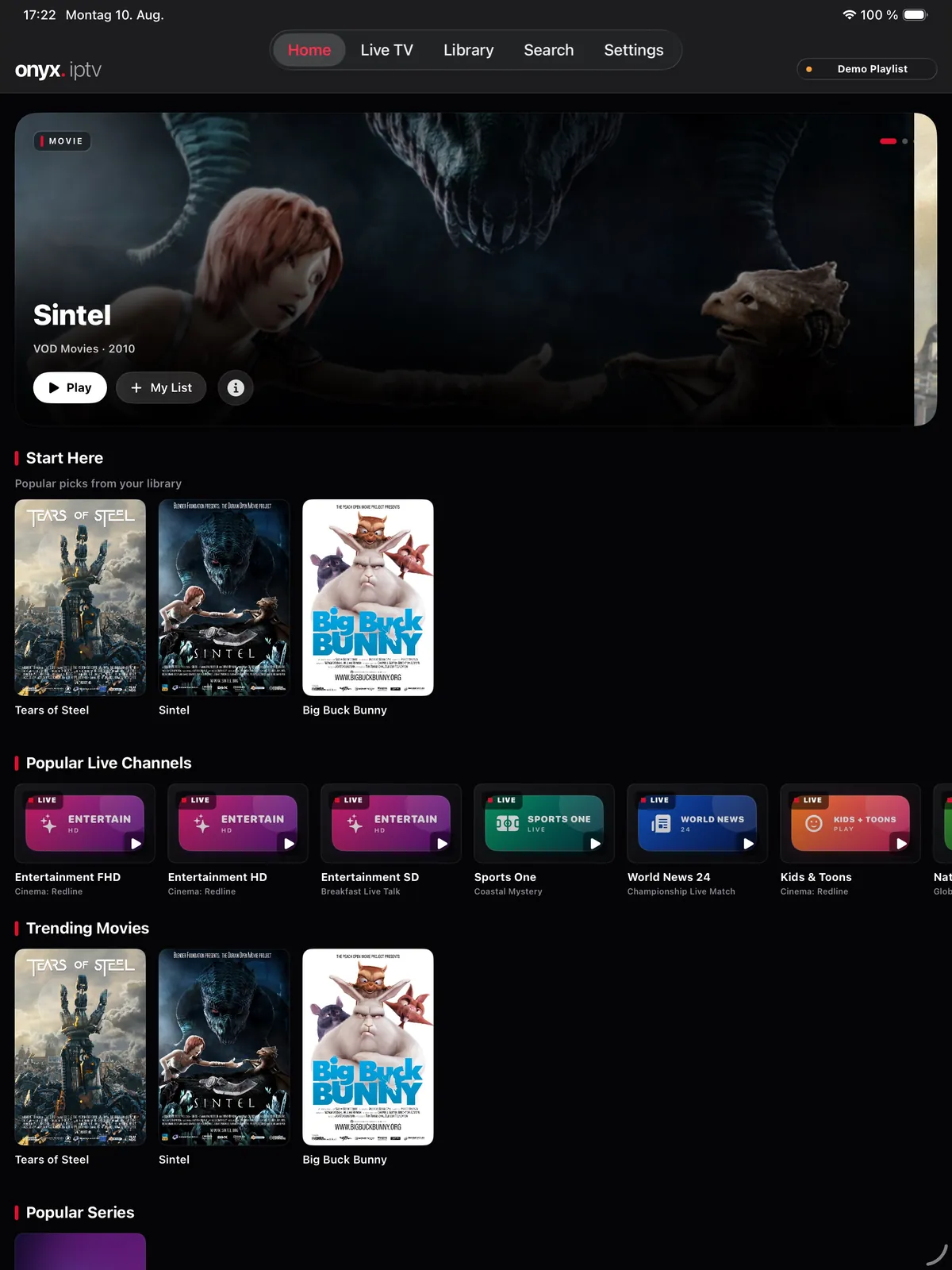
The Apple TV app is a separate download from the same App Store listing and shares the Onyx Pro subscription.
Two minutes to your first channel
Onyx recognises M3U links as well as Xtream get.php and player_api URLs and sets the account up for you. Want to look around first? The demo playlist needs no provider at all.
An M3U playlist URL or an Xtream login. Paste the link your provider sent and Onyx fills in server, username and password.
Channels sorted into groups, movies and series shelved separately, the guide loaded from your provider or an XMLTV source.
Tap a channel, star your favourites, set reminders. Catch-up appears by itself wherever your provider keeps an archive.
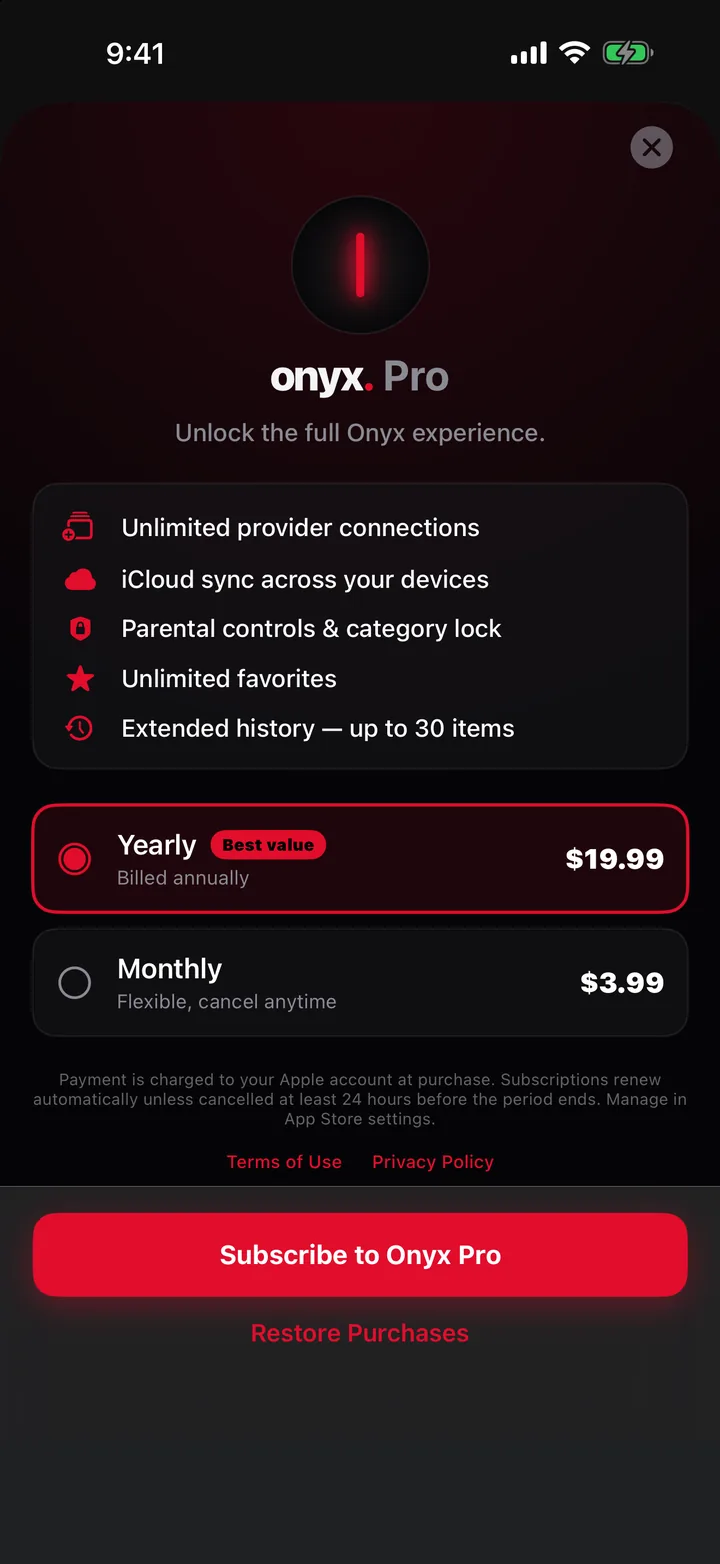
One provider connection, the whole guide, catch-up and the library are free. Pro adds what people with several accounts, or a family, ask for.
Subscriptions renew automatically and are charged to your Apple Account. Cancel any time in your App Store settings. Prices are shown in the app for your region.
Good to know
No. Onyx IPTV is a player only. It does not provide, host or sell channels, movies or series. You add the M3U playlist or Xtream login from your own IPTV provider and are responsible for the rights to the content you play.
M3U and M3U8 playlists by URL, and Xtream Codes API logins (server URL, username, password). You can also paste a get.php or player_api link and Onyx sets up the account for you. EPG data is loaded from your provider or an XMLTV source.
Yes. The Apple TV app is a separate download from the same App Store listing. It shares your favourites, history and Onyx Pro subscription with iPhone and iPad.
Yes. Xtream Codes accounts deliver the programme guide automatically. For M3U playlists you add your provider’s XMLTV URL, and Onyx shows the running programme, a progress bar and the full guide grid.
Yes. The built-in Demo Playlist uses public test streams and needs no account, so you can explore the whole interface first.
The app is free with one provider connection. Onyx Pro is an optional monthly or yearly subscription. It adds unlimited connections, iCloud sync, parental controls, quality grouping, Picture in Picture, AirPlay and offline copies.
No. There is no account, no analytics SDK and no tracking. Credentials stay in the iOS Keychain on your device, and optional iCloud sync uses your own iCloud account. See the privacy policy.
Check that the same stream works in your provider's recommended player, that the server URL, username and password contain no extra spaces, and that your provider has not hit its simultaneous-stream limit. The setup guide has more.
No. Onyx IPTV is built natively for Apple devices only: iPhone and iPad with iOS 18 or later, and Apple TV with tvOS.
Free download. Try the demo playlist first, add your provider whenever you are ready.